
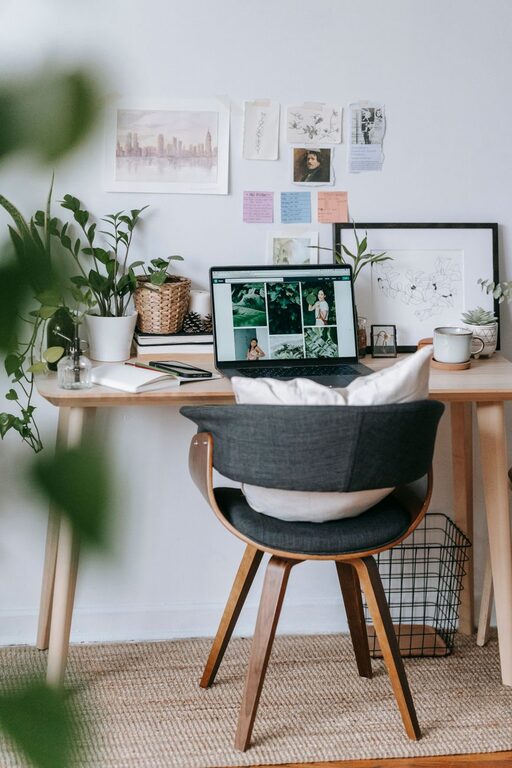
Creating a home office that balances comfort with productivity is essential for anyone working remotely or running their own business from home. A well-designed workspace can boost focus, reduce stress, and make work hours more enjoyable. Whether you have a dedicated room or a small corner, these tips will help you set up a cozy and efficient home office.
Choose the Right Location
Selecting the best spot for your home office is the first step. Ideally, this should be a quiet area away from heavy foot traffic and distractions. Here are some things to consider:
– Natural Light: Look for a space near windows to benefit from natural sunlight. This can improve mood and energy.
– Privacy: If possible, pick a room or corner where you can close the door or create a visual barrier.
– Space: Ensure there is enough room for your desk, chair, and any equipment you need.
Invest in Comfortable and Supportive Furniture
Your furniture plays a big role in your comfort and productivity. Since you’ll spend hours working, prioritize ergonomic options.
– Ergonomic Chair: Choose a chair with adjustable height, lumbar support, and comfortable padding.
– Suitable Desk: Pick a desk at the right height for typing and writing. Standing desks or adjustable desks can be a good choice if you want to alternate positions.
– Additional Seating: If space allows, consider adding a small sofa or armchair for reading or relaxation during breaks.
Organize and Declutter
A cluttered workspace can cause distractions and stress. Keep your home office tidy with the following tips:
– Storage Solutions: Use shelves, drawers, and organizers to keep supplies and paperwork out of sight.
– Desk Essentials Only: Keep only the items you use daily on your desk to maintain a clean surface.
– Cable Management: Use clips, sleeves, or ties to keep cables neat and prevent tangling.
Personalize Your Space
Adding personal touches helps make the work environment inviting and inspiring.
– Decor: Include artwork, photos, or plants that motivate and calm you.
– Colors: Use a color scheme that suits you — softer colors tend to create a relaxing atmosphere, while bright colors can boost energy.
– Lighting: Besides natural light, add adjustable desk lamps or warm overhead lights to reduce eye strain.
Maintain Good Lighting
Proper lighting is crucial for reducing eye fatigue and maintaining focus.
– Natural Light: Maximize use of daylight but avoid glare on screens.
– Task Lighting: Use a desk lamp that can be directed where you need light most.
– Ambient Lighting: Soft overhead lighting helps balance the room without causing harsh shadows.
Set Boundaries and Routines
To stay productive, create clear boundaries between work and home life.
– Work Hours: Establish a regular schedule and stick to it.
– Breaks: Take short breaks to stretch, hydrate, and rest your eyes.
– No Distractions Zone: Communicate your working hours to family or roommates and minimize interruptions.
Use Technology Wisely
Equip your home office with the right tools to work efficiently.
– Reliable Internet: A fast, stable connection is essential.
– Essential Devices: Choose a good computer, monitor, keyboard, and mouse suited to your tasks.
– Noise Reduction: Use noise-cancelling headphones or white noise machines if you are in a noisy area.
Keep Air Quality and Temperature Comfortable
Your physical comfort greatly impacts your productivity.
– Ventilation: Open windows when you can for fresh air.
– Indoor Plants: Plants help improve air quality and create a calm environment.
– Temperature Control: Use fans, heaters, or air conditioning to maintain a comfortable temperature.
Maintain Cleanliness Regularly
Keeping your workspace clean helps prevent distractions and promotes well-being.
– Daily Tidying: Spend a few minutes at the end of each day tidying up.
– Routine Cleaning: Dust and wipe surfaces weekly to maintain a fresh environment.
—
Creating a cozy and productive home office involves thoughtful planning and attention to detail. By choosing the right location, investing in comfortable furniture, organizing your space, and using proper lighting and technology, you can build a workspace that supports both your comfort and your best work. Remember, small adjustments over time make a big difference in how you feel and perform while working from home.